




Stay extension
Change dates right in the calendar with an automatic availability check.
Bookings
Booking calendarEvery property, every date Channel managerBookings from your channels Booking engineA widget for your websiteGuests
Guest databaseStay history and ratings Guest blacklistKnow the risks before arrival NotificationsBookings, cancellations, cleaningAvailable dates, check-ins and check-outs for every property on one screen.
Occupancy across all properties, booking statuses and monthly totals in a single workspace.
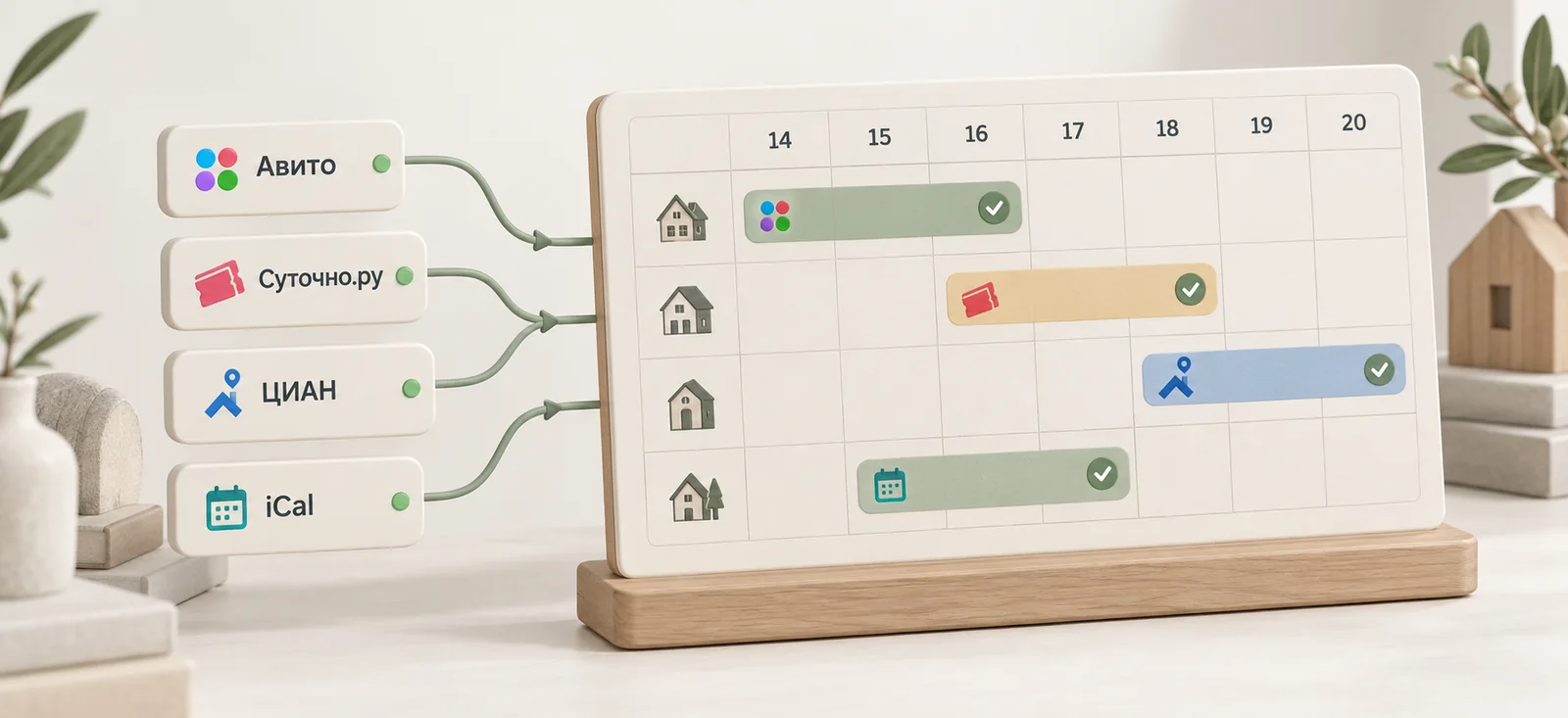
Bookings from connected channels flow into the calendar automatically, and occupied dates are blocked across all your sales channels.
Data is exchanged every few minutes and immediately after a booking changes. Cancellations release the dates, and overlapping stays are flagged as a conflict, which protects you from double bookings.
Change dates right in the calendar with an automatic availability check.
Move a booking to another property and keep the guest, amount and notes.
A booking without prepayment is marked yellow and holds the dates for the guest until payment.
Block dates for maintenance or personal use.
A housekeeper is assigned in the booking card, and the cleaning task goes straight into their schedule with the address, time, access details and property rules.
A mobile booking calendar with property photos, check-in and check-out marks, and booking moves. Available in the browser and in the Android app.
Get it onRuStoreA reservation grid in which rows represent properties or rooms and columns represent days. It shows occupancy, available dates and upcoming check-ins.
Occupied dates are sent to connected channels, and channel bookings flow into the calendar. If two stays overlap, the second booking is not saved and the system flags a conflict.
Avito through a direct connection, and Sutochno.ru and CIAN through calendar sync. More channels are on the way.
Yes. Hotel rooms appear as separate rows alongside apartments and country houses.
A tentative booking is a booking without prepayment: the dates are held for the guest, and the booking is marked yellow in the calendar. Once the prepayment is received, it automatically becomes a paid booking.
Parking, bicycles and equipment are added as property extras. They are tracked in separate rows and do not block the dates of the stay.
Glavbook is currently free, with no limits on the number of properties or staff.
Keep occupancy, bookings and your team under control in one system. Free, with no limit on the number of properties.
or download the Android app on RuStore